top of page

Promoting stores sales

Wix Stores: Adding the "ProveSource" Social Proof App

ProveSource uses social proof to help businesses turn site traffic, sales, and data into insights your customers can see.
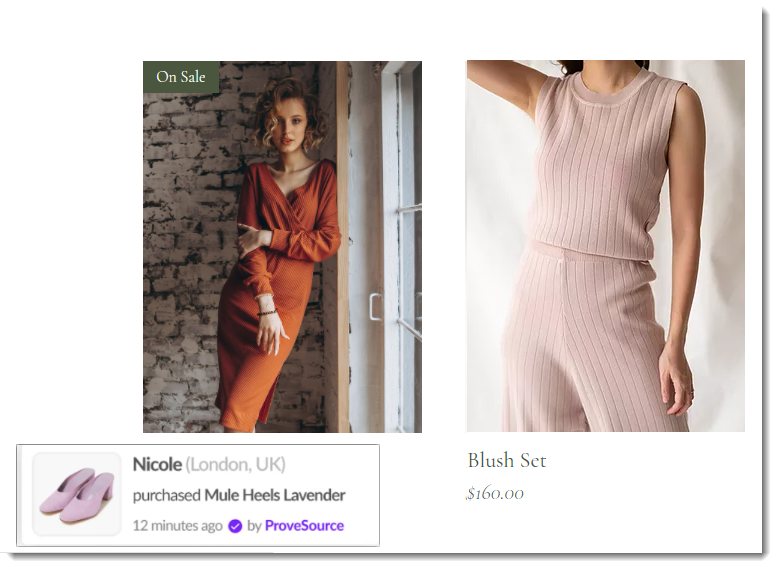
Screenshot of a shop gallery page with a ProveSource popup visible

After you integrate your site with ProveSource, the app:

  • Imports up to 30 past purchases

  • Creates a stream notification to show site visitors those purchases

Before you begin:

Make sure your site has been upgraded to a Premium plan or Studio plan that allows you to accept payments and has a domain.

To add the ProveSource app:

Wix Editor

Studio Editor

Dashboard

  1. Go to your editor.

  2. Click Add Apps   on the left side of the editor.

  3. Search for the ProveSource app in the search bar.

  4. Click Add to Site.

After adding the app, you are taken to the ProveSource dashboard. There you can perform actions such as customizing notifications, setting goals, and viewing analytics. To learn more, visit the ProveSource help center.

Need A Professional Website?
Contact Us 
Today!

Google Workspace Error Message: "Your subscription has been suspended by your reseller"

Google Workspace Error Message: Service Is Temporarily Suspended until Your Customer Accepts the New Terms of Service

Google Workspace Error Message: "You already have a Google Workspace business email account. You can manage it from the Google Admin Console"

Google Workspace: Data Migration from an External Email to Your Google Workspace

Google Workspace: Revoking Admin Status to Delete a Workspace Account

Google Workspace: Connecting Your Business Email to a Mail Client Using IMAP and SMTP

Google Workspace: Changing the Language of Your Business Email

Google Workspace: Emails Missing from Your Business Email

Google Workspace: Allowing Access for ‘Less Secure Apps’ in Your Business Email

Google Workspace: Adding Google Workspace MX Records to Your Wix Account

Google Workspace: Setting Up a Domain Alias

Google Workspace: Manually Verifying Your Domain with Google

Google Workspace: Connecting a Business Email for a Domain Pointing to Wix

Google Workspace: Setting Up an Email Alias for an Existing Workspace User Email Address

Google Workspace: Resetting a Workspace User's Password

Google Workspace: Renaming a Workspace User

Google Workspace: Accessing Your Additional Workspace Users

Google Workspace: Purchasing Additional Business Emails from Wix

Google Workspace: Setting Up Business Email Users

Gemini for Google Workspace: An Overview

Google Workspace: Upgrading a Workspace Plan

Google Workspace: Choosing a Plan

Google Workspace: Business Email Sending Limits

Google Workspace: Forwarding Emails From Your Business Email to Another Email Address

Google Workspace: Resetting Your Admin Password

Google Workspace: Accessing Your Admin Console

Google Workspace: Identifying Your Admin Workspace User

Google Workspace: Setting Up Your Business Email on Mobile Devices

Google Workspace: Username and Password Guidelines

Google Workspace: Accessing your Business Email Through Your Wix Account

wix experts
Graphic2Traffic web design
©
bottom of page